
Paste the message
Paste what they said — or share a screenshot from Tinder, Hinge, or Photos. Zirp reads the whole conversation, not just the last line.
Paste the message — or a screenshot of the chat — and Zirp writes your reply in seconds. Tap Copy, send. Built for how real conversations on Hinge, Tinder, and Bumble actually go.
How it works
If you can paste a message, you can use Zirp. Nothing to set up, nothing to connect to your dating accounts.
Paste what they said — or share a screenshot from Tinder, Hinge, or Photos. Zirp reads the whole conversation, not just the last line.
Zirp writes replies you can actually send. From a screenshot, it tells you what they meant and gives you three — BEST marks the strongest.
Tap Copy and send — or ask for flirtier, funnier, warmer, or shorter. Your next good reply is seconds away.
Free to download, first 10 AI replies free — Unlimited Access is optional.
What Zirp does
Zirp helps you reply, flirt, and fix your profile with confidence — with drafts that sound like you on a good day, not like everyone else's AI.
Make It Sound Like Me: save your side of a chat as examples, and replies come back the way you actually text — your slang, your length, your vibe. Switch between "My voice" and the original on any reply. Runs on-device with Apple Intelligence (iOS 26, iPhone 15 Pro or later).
Paste a message or drop in a screenshot, and Zirp writes a reply that fits the thread, not a generic line. On long chats it keeps short notes on the older part, so replies remember what was said early on. Screenshots and chat notes are read on-device with Apple Intelligence (iOS 26).
Tone chips rewrite any reply with a single tap, on-device with Apple Intelligence. In a hurry? Say what's going on with the match out loud — dictation needs iOS 26 — and Zirp turns it into a reply.
Rehearse the conversation before it's real. Set where you met and what they're like, and Maya texts back in character — then a Coach Note tells you what to do better next time. On-device and unlimited, with Apple Intelligence (iOS 26).
Photo Check looks at 2–6 photos you are considering — quality, how clearly your face reads, which two are basically the same — and if none can carry your profile, gives you a shot list. Works on any iPhone; your photos never leave it. Bio Writer turns your interests into three ready-to-use bios (iOS 26, Apple Intelligence).
Follow-up reminders nudge you tonight, tomorrow, or in two days. Browse 620 lines by situation and 17 guided Flows, and save your best into Decks synced across iPhone, iPad, and Mac.
Who it's for
The apps get you matches. Zirp is for what you say next.
You matched with someone interesting and now you're staring at a blank text field. Name one thing from their profile and Opener About Her writes openers actually about them (iOS 26, Apple Intelligence) — or browse openers and icebreakers by situation, plus a Line of the Day widget so you always have one ready.
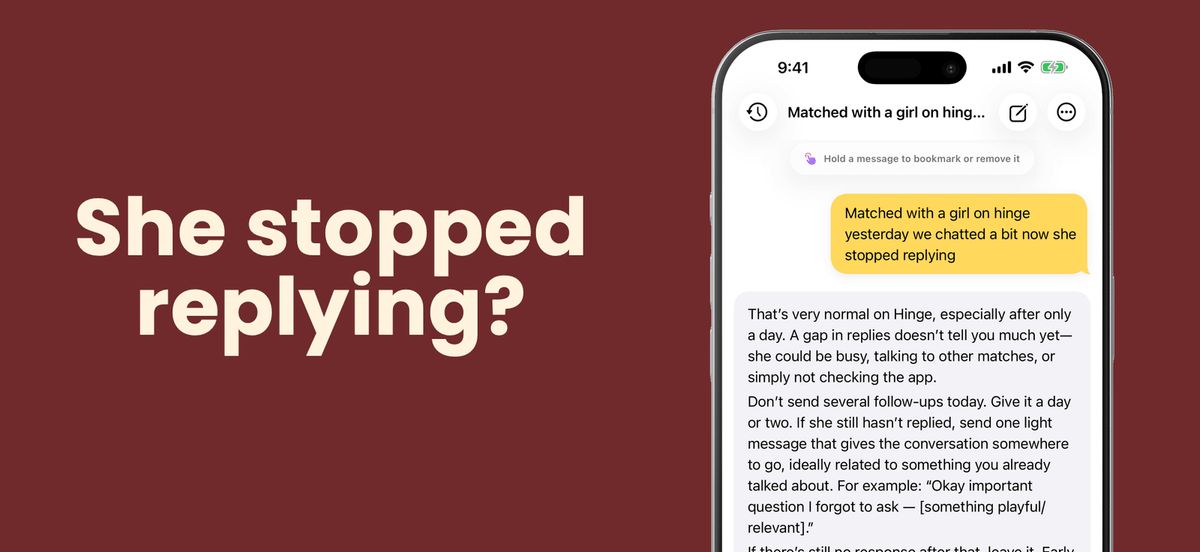
They stopped replying three days ago but the match is still open. Paste the chat and get one message that doesn't sound needy — or check Where You Stand first to see if it's worth sending (iOS 26, Apple Intelligence). Then set a follow-up reminder so the next good match never goes cold.
The jump from good chat to actual date is the hardest message in the app. Browse ready-made ways to ask them out — or let Zirp read the chat first and say whether it's time to make the move (iOS 26, Apple Intelligence). After the Date covers what to send next.
Photo Check tells you which of the photos you're considering can carry your profile — and what to shoot if none can. Bio Writer (iOS 26, Apple Intelligence) turns your interests and your vibe into three bios ready to paste into Hinge, Tinder, or Bumble.
Guides
Walkthroughs for the jobs people bring to Zirp: replies, Hinge prompts, openers, stalled chats, and profile fixes.
AI reply generators for Hinge are everywhere. Most produce the same five openers. What separates tools that actually work from ones that embarrass you.
How to reply to a Hinge prompt so it starts a conversation: a three-part formula, examples, the comments that die, guides for 19 prompts, and where AI helps.
Why dating app chats stall, the one message that revives each kind of stall, when to double text, when to let it go, and how AI on iPhone helps you pick.
Knowing what to say on a Hinge first message is where most matches die. Here is the candid AI workflow on iPhone for sending one that earns a reply.
AI Tinder opener apps are a flooded category on iPhone. Most produce the same three templates. Here is what separates useful from cringe in 2026.
Most dating photo analyzers upload your face to a server or a crowd of strangers. Here is how on-device photo ranking on iPhone works without either.
A dating chat coach app on iOS should teach you to text better, not text for you. Here is what real coaching looks like and how the iPhone workflow runs.
Zirp, Rizz AI, YourMove, Wingman, Plug, or ChatGPT? An honest six-way iPhone comparison — voice matching, reply chains, pricing, and what leaves your phone.
Apple-native
Everything else runs on your device. Photo Check, the 620 lines and 17 Flows, Comebacks, reminders, and Discreet Mode work on any iPhone on iOS 18 or later. Screenshot reading, voice matching, vibe reads, Practice with Maya, and Bio Writer need iOS 26 with Apple Intelligence — iPhone 15 Pro or later, an M1-or-later iPad or iPad mini (A17 Pro), or an Apple silicon Mac on macOS 26.
AI Chat sends your message and that chat to Zirp's server, where OpenAI writes the reply — only after you agree. Your messages never train it, and Zirp doesn't keep them. The App Store privacy label: Data Not Collected.
Chats, bookmarks, and Decks sync by iCloud across iPhone, iPad, and Mac. Discreet Mode locks Zirp behind Face ID and keeps names out of notifications.
Pricing
Your first 10 AI replies are free — no account, no sign-up. Unlimited Access unlocks unlimited AI chat replies: a 3-day free trial for new subscribers, then $9.99/month. Cancel anytime in your Apple Account settings.
after a 3-day free trial
Free to download on iPhone, iPad, and Mac, with your first 10 AI replies free. Unlimited Access is a 3-day free trial, then $9.99/month — cancel anytime.